If you’ve ever stood in a busy airport, stared at a vibrant stadium scoreboard, or scrolled through a dynamic digital ad in a city center, you’ve likely engaged with an LED display. As a supplier who’s worked with clients across retail, sports, and events for over a decade, the question I hear most often isn’t just how these screens work—it’s what actually feeds them the information to light up like that. That “information” is the input signal, and it’s the unsung backbone of every LED display: without it, the screen is just a hunk of aluminum, LEDs, and circuit boards, unable to show a single frame. Let’s break this down the way I do with my clients, no overly jargon-heavy fluff, just the practical, science-backed details that matter for anyone looking to source, install, or maintain LED displays. LED Display
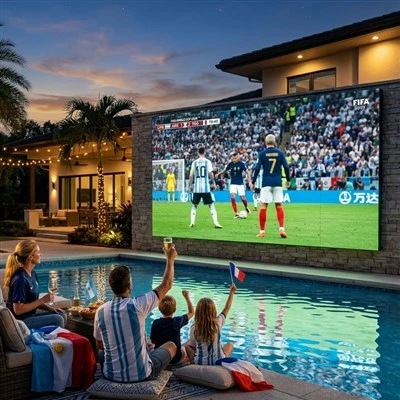
First, let’s define the input signal simply. For context, an LED display is a matrix of tiny light-emitting diodes, each programmed to emit red, green, or blue light (the core of all digital color). To turn that matrix into a moving video, a static graphic, or a scrolling text, you need a continuous stream of digital data that tells each individual diode when to turn on, how bright to glow, and what color to produce. That stream of data is the input signal. It’s the link between your content (a pre-edited commercial, a live sports feed, a social media graphic) and the display’s hardware. If the signal is weak, outdated, or mismatched to your screen, you’ll see everything from blurry text to lagging video or a total blank screen. I’ve seen too many projects derail because a client picked a display that couldn’t support their signal type, so this is non-negotiable to get right.
Now, let’s dive into the key types of input signals, because not all signals are created equal—and matching the right one to your display depends entirely on where you’re using the screen. The first category to know is analog signals, the older standard that most people still encounter in legacy setups. Analog signals work by sending a continuous wave of electrical voltage, where variations in voltage correspond to variations in image brightness or color. The most common analog inputs for LED displays are VGA (Video Graphics Array) and HDMI’s older analog variant, but honestly, we rarely recommend analog signals for new installations. Why? Analog signals degrade over distance: if you run a VGA cable more than 50 feet, you’ll start to see fuzziness, color shifting, or signal loss. They also don’t support high-resolution content (think 1080p or 4K), which is a must for modern displays. The only time I’ll suggest analog is for a small, low-budget indoor display in a space with minimal wiring distance—never for outdoor, large-format, or high-definition screens.
The second, and far more prevalent, category is digital signals, which use discrete binary code (the 0s and 1s that power all digital technology) instead of continuous voltage. Digital signals don’t degrade over distance, support far higher resolutions, and are compatible with every modern display on the market today. There are several key digital signal types, each with its own use case:
- DVI (Digital Visual Interface): A staple for early digital displays, DVI was designed to transmit uncompressed video data. It’s reliable for short-to-medium runs (up to 30 feet) but rarely used now, thanks to HDMI and DisplayPort offering similar performance with added audio support. We still stock DVI adapters for clients retrofitting old displays, but it’s not a primary input for new builds.
- HDMI (High-Definition Multimedia Interface): The most well-known input for consumer TVs and computers, HDMI is a versatile workhorse for LED displays. It transmits both video and audio over a single cable, supports high resolutions (up to 8K at 60Hz, even 4K at 120Hz for fast-action content like sports), and is easy to integrate with common devices: laptops, media players, cameras, and streaming boxes. For indoor small-to-medium displays (retail signage, office meeting room screens), HDMI is our go-to recommendation. The only downside is that HDMI’s effective range tops out at around 50 feet for standard cables; for longer runs, you’ll need an HDMI extender or fiber optic cable, which we also supply as part of our full display kits.
- DisplayPort: Often overlooked but ideal for large-format or high-performance LED displays (stadiums, concert stages), DisplayPort offers higher bandwidth than HDMI, which means it can support 8K content at 120Hz or even 16K for ultra-large screens. It also supports daisy-chaining, which lets you connect multiple displays to a single source without needing extra hardware—a huge win for seamless video walls. For clients building a video wall for a corporate lobby or a stadium’s ribbon board, DisplayPort is the input we prioritize, as it eliminates signal lag and supports the ultra-dense pixel counts those screens require.
- SDI (Serial Digital Interface): This is the input of choice for professional broadcast and live event LED displays, where signal reliability is non-negotiable. SDI was built to transmit uncompressed video over long coaxial cables (up to 300 feet) without signal degradation, which is perfect for outdoor events where you can’t run fiber optic cables easily. It’s also designed to sync multiple devices—critical for live broadcasts where every frame has to align perfectly between a LED display and a camera feed. If you’re setting up a large outdoor LED screen for a concert or sports game, SDI is the input we’ll recommend over HDMI every time, because it’s tested and trusted for mission-critical, high-stakes environments.
Beyond these physical cable-based inputs, there’s a rapidly growing category of wireless inputs, which have transformed how we control LED displays. Wireless inputs use Wi-Fi, Bluetooth, or cellular (4G/5G) to transmit data without physical cables, offering unmatched flexibility for temporary or dynamic displays. For example, a pop-up retail store might use a Bluetooth or Wi-Fi input to send new ads from a phone or tablet without re-running cables; a festival can use 5G to update a main stage LED screen with live social media content in real time. That said, wireless inputs do have limitations: signal can be interrupted by physical obstacles or network congestion, so they’re not ideal for large, high-resolution displays that need consistent, 24/7 operation. We often pair wireless inputs with a wired backup for clients who need both flexibility and reliability—like a restaurant that updates its menu screens daily via phone, but has a wired HDMI input to play pre-recorded events on weekends.
Now, let’s talk about the critical link between the input signal and the LED display’s receiving card—because even the best signal is useless if it can’t communicate with the display’s hardware. A receiving card (sometimes called a receiver module) is a small circuit board that sits inside every LED display panel. Its job is to take the incoming input signal (from HDMI, SDI, whatever source you’re using) and translate it into commands for each individual LED: it tells each diode which color to emit, how bright, and when to turn off for the next frame. The receiving card is where a lot of signal issues originate: if your input signal’s resolution (say, 1080p) doesn’t match the receiving card’s maximum supported resolution (often 4K), you’ll see stretched, blurry, or distorted video. I’ve had a client last year who tried to use a 1080p input signal on a display with a 4K receiving card, and the result was text that looked twice as wide as it should have—simple mismatch, no hardware failure, just a wrong signal choice. That’s why, when you order an LED display from a supplier (shameless plug, that’s us), we always ask about your input source and content to make sure we ship a receiving card that’s compatible.
Another key factor is color depth, which is tied directly to the input signal’s ability to transmit color data. Color depth refers to how many distinct colors a display can show—measured in bits, with 8-bit (16.7 million colors) being standard for consumer displays, and 10-bit (1.07 billion colors) for professional LED displays like stadium boards. If your input signal only supports 8-bit color, you’ll get banding (those ugly, noticeable lines between shades of gray or color) in gradients, while a 10-bit input will render smooth, true-to-life colors that look like real photos. For example, a retail display showing product photos needs a 10-bit input to accurately show the red of a shirt or the blue of a phone case, while a simple scrolling text board can get by with an 8-bit input.
Let’s wrap this up with real-world examples, because theory only matters if it works for your use case. Last quarter, we worked with a local sports bar that wanted three small indoor LED displays for their game day setup. We asked about their input sources: cable TV (for game feeds) and a laptop (for social media graphics). We recommended two displays with HDMI inputs (for cable TV and laptop) and one with a wireless Wi-Fi input for a rotating menu board—all paired with standard 8-bit receiving cards, perfect for their needs. On the other end, we worked with a professional soccer stadium to install a 1,000-square-foot LED ribbon board that runs the length of the field. Their input source is a broadcast feed from the league, so we used SDI inputs paired with high-bandwidth DisplayPort for the video wall, plus 10-bit receiving cards to render the team’s colors and replays with crisp, accurate detail. No signal lag, no blurry text, no issues during a sold-out match—all because we matched the input signal to their hardware and use case.

If you’re still unsure which input signal is right for your LED display, or you want to make sure your existing display is set up to handle future content (like 4K video), the best step is to reach out. As an LED display supplier, we don’t just sell screens—we help you build a solution that works for your budget and goals. Whether you’re a small business looking for a single retail sign, a large corporation building a lobby video wall, or an event planner needing a temporary outdoor screen, we can walk you through signal types, compatible hardware, and setup tips to avoid common pitfalls. Don’t guess at your input signal—let the experts help you get it right.
Digital Signage and Displays References
- Smith, J. (2022). LED Display Signal Transmission & Hardware Integration. Digital Signage Industry Review.
- International Electrotechnical Commission (IEC). (2021). Standard for LED Display Signal Compatibility (IEC 62471).
- Video Electronics Standards Association (VESA). (2023). DisplayPort 2.1 Specification for High-Bandwidth Video Transmissions.
- Broadcast Engineering Society (BES). (2022). SDI Signal Standards for Professional Outdoor LED Displays.
- Consumer Technology Association (CTA). (2023). HDMI 2.1 Specifications for Consumer LED Display Inputs.
Guangzhou Jorarri Electronics Co., Ltd.
As one of the most professional led display manufacturers and suppliers in China, we’re featured by quality products and good service. Please rest assured to wholesale customized led display at competitive price from our factory. Contact us for more details.
Address: Room 502, Building 4-2, No.539, Shibei Industrial Road, Dashi Street, Panyu District, Guangzhou City, China
E-mail: eddiezheng@jzlsglobal.com
WebSite: https://www.gzjorarri.com/
